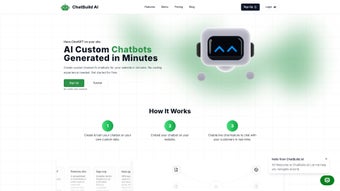

In today’s digital landscape, businesses of every size are racing to provide instant, personalized support that keeps visitors engaged and converts curiosity into revenue. AI‑powered chatbots have become the go‑to solution for delivering 24/7 assistance without the overhead of a full‑time support team. Yet, many of the most powerful chatbot platforms require developers to write code, manage servers, and constantly train models—a barrier that turns potential adopters away.
Enter ChatBuild AI, a cloud‑based, no‑code chatbot builder that promises to bridge the gap between cutting‑edge artificial intelligence and everyday usability. Whether you run an e‑commerce storefront, a SaaS product, a nonprofit, or a corporate help desk, ChatBuild AI aims to let you design, train, and deploy a fully custom conversational agent in minutes, not weeks. The platform combines the flexibility of large language models with a drag‑and‑drop interface, multilingual capabilities, and real‑time analytics—all wrapped in a secure, GDPR‑compliant environment.
This introductory overview will walk you through what makes ChatBuild AI stand out, how it integrates with existing workflows, and why it’s worth a closer look for anyone seeking a scalable, cost‑effective chatbot solution.
Overview
ChatBuild AI is a cloud‑based web application that lets anyone build fully‑customized, AI‑powered chatbots without writing a single line of code. Designed for marketers, support teams, e‑commerce owners, and developers alike, the platform delivers a visual, drag‑and‑drop interface where users can define intents, train the bot with files, URLs, sitemaps, or CSV data, and instantly generate a widget that can be embedded on any website. The service shines in its ability to adapt to any language, making it a truly global solution.
A free trial grants immediate access to the core features, while premium plans unlock higher request limits, advanced analytics, and priority support. Whether you need a simple FAQ bot, a sophisticated sales assistant, or a multilingual help desk, ChatBuild AI provides the tools to launch, monitor, and refine your chatbot in minutes. The platform also includes built‑in analytics that track user interactions, conversion rates, and sentiment, empowering businesses to iterate based on real data.
Security is baked in: all data transfers are encrypted via HTTPS, and user‑uploaded files are stored in compliance with GDPR and CCPA standards. In short, ChatBuild AI combines the power of modern large‑language models with an intuitive UI, making AI chatbot creation as easy as filling out a form. Moreover, the solution continuously receives auto‑updates, ensuring you always benefit from the latest model improvements without manual intervention, and its RESTful API opens doors for deeper integration with CRMs, ticketing systems, and custom back‑ends, reinforcing its position as a future‑proof conversational platform.
Key Features
- Zero‑code chatbot builder: Visual workflow lets you design conversation trees without programming.
- Custom training data: Upload PDFs, Word docs, CSV files, or provide URL links and sitemaps for the AI to learn from your own content.
- Multilingual support: Built‑in language detection and translation for over 50 languages.
- Instant widget generation: One‑click embed code for WordPress, Shopify, Wix, custom HTML, or any CMS.
- Real‑time analytics: Dashboard shows chat volume, user satisfaction scores, drop‑off points, and conversion metrics.
- Conversation history & editing: Review past chats, flag problematic responses, and retrain the model on the fly.
- Secure data handling: TLS encryption, GDPR‑compliant storage, and optional on‑premise data export.
- Free trial & flexible pricing: Start for free, then choose from monthly or annual plans based on usage.
- API & webhook integration: Connect the chatbot to CRM, ticketing, or custom back‑ends for seamless automation.
- Auto‑updates: The platform continuously incorporates the latest LLM improvements without user intervention.
The feature set is deliberately grouped to appeal to both beginners and power users. For newcomers, the drag‑and‑drop builder and instant widget are the most compelling, allowing a rapid launch without any technical debt. Power users will appreciate the ability to feed proprietary data, access granular analytics, and integrate via robust APIs, turning ChatBuild AI into an enterprise‑grade solution.
Role‑based access control further enhances collaboration, letting teams work together while keeping sensitive training material restricted to authorized members. Additionally, the platform offers customizable fallback responses, sentiment‑aware routing, and the option to blend rule‑based logic with generative AI, giving you fine‑grained control over conversation outcomes. The combination of these capabilities ensures that the chatbot not only answers questions but also drives measurable business results, such as lead capture, order processing, or appointment scheduling.
In essence, ChatBuild AI’s feature roadmap reflects a deep understanding of real‑world use cases, reducing friction from the first interaction to long‑term optimization.
Installation & Usage Instructions
Because ChatBuild AI is a fully hosted SaaS product, there is no traditional installation process. Getting started is as simple as creating an account and following the guided onboarding flow. Below is a step‑by‑step walkthrough that covers account creation, bot building, widget deployment, and ongoing maintenance.
1. Sign‑up and account verification
Visit chatbuild.ai and click “Start Free Trial.” Provide your email address, set a secure password, and verify the account through the confirmation link sent to your inbox. The platform supports single sign‑on (SSO) via Google Workspace and Microsoft Azure AD for corporate users.
2. Create your first chatbot
After logging in, you’ll land on the Dashboard. Click “New Bot,” give it a name (e.g., “Support Assistant”), and select a base language. The wizard then asks if you want to import training data.
You can drag‑and‑drop files, paste URLs, or upload a sitemap XML. ChatBuild AI automatically parses the content, extracts intents, and suggests initial responses. Review and edit these suggestions to match your brand voice.
3. Design conversation flows
The visual flow editor displays nodes representing user intents and bot replies. Use the toolbox to add quick replies, buttons, or conditional logic (e.g., “If user says ‘price,’ show pricing table”). You can also integrate external APIs by adding webhook actions, enabling real‑time inventory checks or order placements directly from the chat.
4. Generate and embed the widget
Once satisfied, click “Publish.” ChatBuild AI creates a lightweight JavaScript snippet that looks like:
Copy the code and paste it before the closing tag of any webpage. The widget automatically adapts to mobile and desktop viewports, and you can customize colors, positioning, and greeting text from the “Appearance” tab.
5. Monitor performance and iterate
The Analytics tab provides live dashboards with metrics such as session length, satisfaction rating, and conversion rate. Use the “Chat History” view to spot misinterpretations, then retrain the model by uploading corrected transcripts or new source files. Changes propagate within minutes thanks to the platform’s auto‑update engine.
Because ChatBuild AI runs entirely in the browser, it is compatible with any modern operating system that supports up‑to‑date browsers: Windows 10/11, macOS, Linux distributions, as well as mobile platforms like Android and iOS. No additional software installation is required.
Overall, the entire workflow from sign‑up to live chatbot can be completed in under 30 minutes, even for users with no technical background.
Pros & Cons
Pros
- Intuitive, no‑code interface suitable for beginners.
- Supports a wide range of training data formats (PDF, CSV, URL, sitemap).
- Multilingual capabilities out of the box.
- Real‑time analytics help optimize conversion funnels.
- Secure, GDPR‑compliant data handling.
- Seamless widget embedding on any website platform.
- API and webhook support for advanced integrations.
- Free trial with generous usage limits.
- Continuous model updates without user intervention.
- Responsive design works on desktop, tablet, and mobile.
Cons
- Being SaaS‑only, you rely on internet connectivity and ChatBuild’s uptime.
- Advanced features (e.g., higher request volume, dedicated support) require paid plans.
- Customization of the widget UI is limited to preset themes.
- No on‑premise deployment option for highly regulated industries.
- Learning curve for complex conditional logic may be steep for absolute beginners.
Overall rating: 4.5/5 – ChatBuild AI delivers a powerful blend of simplicity and depth, making it a top choice for businesses seeking an AI chatbot without the overhead of custom development.
Conclusion & Frequently Asked Questions
ChatBuild AI stands out in a crowded market by stripping away the technical barriers that traditionally accompany AI chatbot development. Its zero‑code builder, flexible training data options, and multilingual support empower businesses of any size to deploy conversational agents that feel native to their brand. While the platform’s SaaS‑only model may not suit organizations that demand on‑premise hosting, the security measures, compliance certifications, and real‑time analytics more than compensate for most use cases. With a generous free trial and a clear upgrade path, you can test the waters before committing to a paid plan. If you’re looking to boost user engagement, capture leads, or provide round‑the‑clock support, ChatBuild AI offers a fast, secure, and scalable solution.
Frequently Asked Questions
Can I use ChatBuild AI on mobile websites?
Yes. The generated widget is fully responsive and automatically adapts to any screen size, ensuring a seamless experience on smartphones, tablets, and desktops.
What languages does ChatBuild AI support?
The platform can detect and respond in more than 50 languages, including English, Spanish, Mandarin, Arabic, French, German, and many others. Language models are continuously updated to improve accuracy.
Is there a limit to the amount of training data I can upload?
Free trial users can upload up to 10 MB of data (approximately 200 rows of CSV). Paid plans raise this limit to 500 MB per bot, with options for higher caps on enterprise contracts.
Can I integrate the chatbot with my existing CRM?
Yes. ChatBuild AI offers webhook and REST API endpoints that let you push conversation data directly into Salesforce, HubSpot, Zoho, or any custom CRM solution.
How secure is the data stored by ChatBuild AI?
All data is transmitted over TLS 1.2+, stored in encrypted databases, and resides in data centers that comply with GDPR and CCPA. Users can request immediate data deletion at any time.
Ready to experience frictionless AI chat? Start your free trial today and see how quickly you can turn visitors into satisfied customers.



.png)



